
 Written By :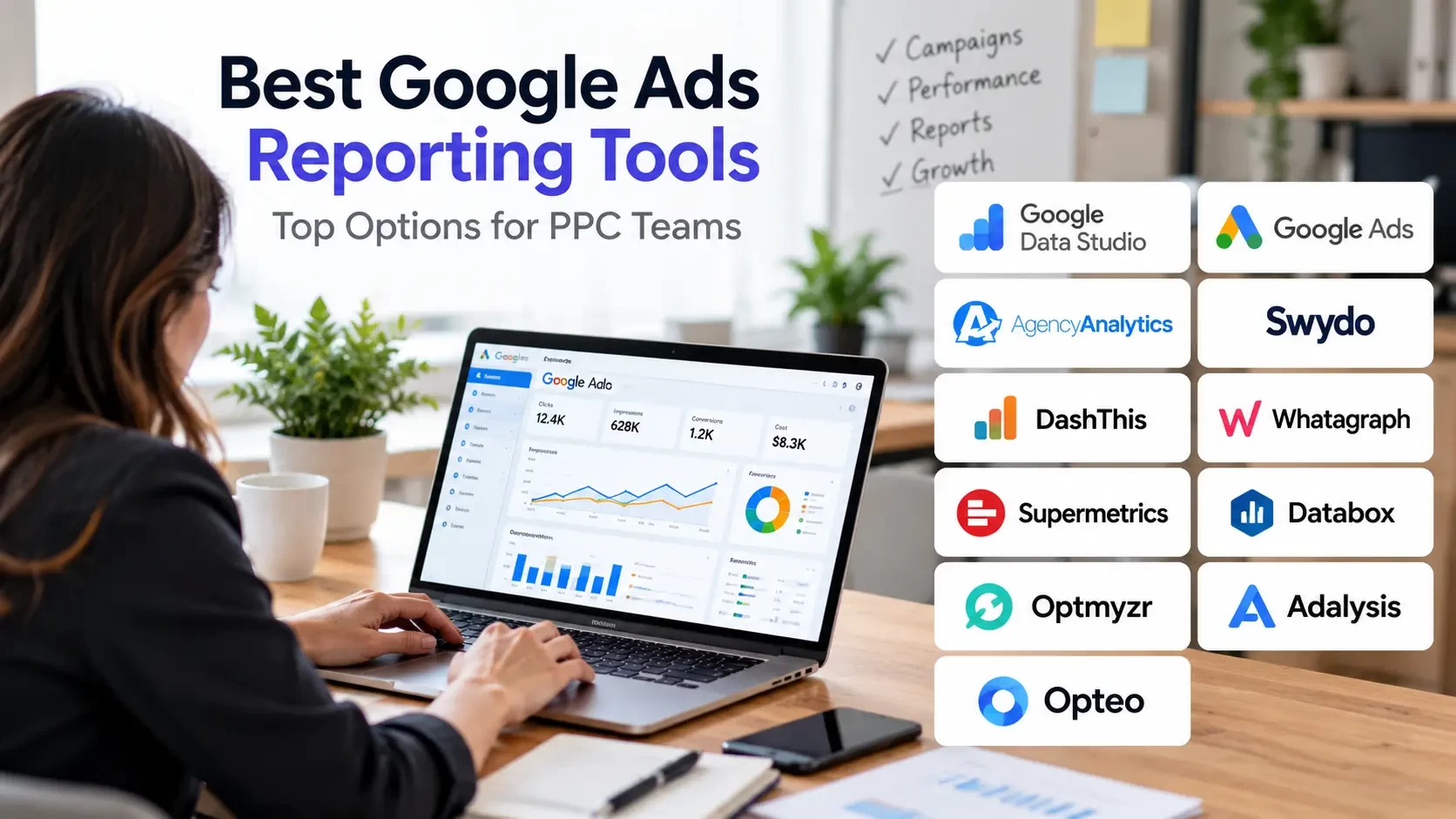
 ChatGPT
 Perplexity
 Claude
 Gemini
Choosing the best Google Ads reporting tool is less about finding the longest feature list and more about getting accurate campaign data into reports people can understand.
Some tools build client-ready dashboards, some move data into spreadsheets, and others add PPC audits and optimization.
This comparison covers 11 free and paid options for 2026, including their pricing models, strengths, limitations, and best use cases.
TL;DR: Key Takeaways
-
Best free custom dashboard: Google Data Studio (formerly Looker Studio). Google Ads' built-in reports are also useful and require no separate reporting subscription.
-
Best agency-focused options: AgencyAnalytics for client portals, Swydo for source-based PPC reporting, and DashThis for straightforward recurring dashboards.
-
Best specialized choices: Supermetrics for moving data, Whatagraph for larger cross-channel reporting operations, and Optmyzr, Adalysis, or Opteo when reporting is part of PPC optimization.
Quick Comparison: 11 Google Ads Reporting Tools
| Tool | Best for | Pricing model or starting point |
|---|---|---|
| Google Data Studio | Free custom Google Ads dashboards | No-cost standard edition |
| Google Ads built-in reports | Native campaign analysis | Included with Google Ads |
| AgencyAnalytics | Agency client portals | From $20/client/month, annually |
| Swydo | Flexible PPC reporting | From $69/month in USD markets |
| DashThis | Recurring marketing dashboards | From $44/month, annually |
| Whatagraph | Cross-channel agency reporting | From €699/month, annually |
| Supermetrics | Marketing data connections | From $44/month, annually |
| Databox | KPI and executive dashboards | Limited free plan |
| Optmyzr | Advanced PPC management | Spend- and plan-based |
| Adalysis | PPC audits and reporting | Spend-based |
| Opteo | Google Ads optimization and reports | From $129/month |
Pricing reflects publicly available vendor information reviewed in October 2026. Plan limits, billing cycles, regional currencies, and add-ons may change actual costs.
What Is a Google Ads Reporting Tool?
A Google Ads reporting tool is software that collects campaign performance data and organizes it into dashboards, charts, tables, and scheduled reports.
The main goal is to make advertising results easier to analyze, explain, and share.
Most tools fall into three categories:
-
Reporting platforms: Build dashboards, branded client reports, and automated performance summaries.
-
Data connectors: Move marketing data into tools such as Google Sheets, Data Studio, or business intelligence software.
-
PPC management tools: Combine reporting with audits, optimization, alerts, and campaign analysis.
Google Ads already includes native reporting tools. Third-party software becomes more useful when a business needs multiple data sources, client-specific reports, or more automation.
The 11 Best Google Ads Reporting Tools in 2026
1. Google Data Studio (formerly Looker Studio)
Best for: Free, customizable Google Ads dashboards.
Google Data Studio is Google's reporting and data-visualization platform. In April 2026, Google renamed Looker Studio back to Data Studio.
It allows marketers to create dashboards using Google Ads, Google Analytics, Google Sheets, and other connected sources.
Key advantages
-
Custom charts, tables, and filters
-
Calculated fields
-
Reusable dashboard templates
-
Report sharing and collaboration
-
A no-cost standard edition
Limitations: Dashboard setup and maintenance require time. Certain third-party connectors may involve additional fees.
Pricing: The standard edition is available at no cost. Data Studio Pro and some partner connectors have separate costs.
Best for: Freelancers, in-house teams, and agencies that want control over report design.
2. Google Ads Built-In Reporting
Best for: Advertisers who need campaign data without paying for another platform.
Google Ads includes reporting features such as Report Editor, predefined reports, custom columns, filters, segments, and scheduled reporting.
Key advantages
-
Direct access to Google Ads performance data
-
Campaign and ad group analysis
-
Date and device comparisons
-
Customized metrics and columns
-
Scheduled report emails
Limitations: Google Ads is not designed to replace a complete cross-channel, white-label agency reporting system.
Pricing: Included with Google Ads. Advertising costs still apply.
Best for: Small businesses, individual advertisers, and PPC managers who primarily work inside Google Ads.
3. AgencyAnalytics
Best for: White-label Google Ads reporting for marketing agencies.
AgencyAnalytics is designed for agencies managing multiple clients and marketing channels.
It can combine Google Ads data with SEO, analytics, social media, and other marketing sources.
Key advantages
-
Client dashboards and portals
-
White-label reporting
-
Automated report delivery
-
Reusable templates
-
Multiple marketing integrations
Limitations: Per-client pricing means the subscription grows as the agency adds clients. Some advanced features may have separate costs.
Pricing: From $20 per client per month with annual billing, according to its published pricing.
Best for: Full-service agencies that want consistent, client-friendly reporting.
4. Swydo
Best for: PPC agencies needing reusable reports across multiple clients.
Swydo is an automated reporting platform focused on PPC and digital marketing reporting.
It supports dashboards, templates, client sharing, and connected advertising accounts.
Key advantages
-
Automated PPC reports
-
Customizable report templates
-
Multi-client reporting
-
Branded reports
-
KPI monitoring
Limitations: Pricing depends on connected data sources. An agency connecting Google Ads and GA4 for each client needs to count both connections.
Pricing: Published USD-market pricing starts at $69 per month for 10 data sources, with additional charges for more sources.
Best for: Growing PPC agencies that want to automate recurring reporting.
5. DashThis
Best for: Simple, automated marketing dashboards.
DashThis offers dashboard templates, widgets, marketing integrations, and scheduled reporting.
It is particularly relevant for teams that want straightforward reports without developing custom business intelligence dashboards.
Key advantages
-
Prebuilt dashboard templates
-
Automated reporting
-
Custom KPI widgets
-
Report sharing
-
White-label options
Limitations: Dashboard and data-source allowances vary by plan.
Pricing: Individual plans start at $44 per month billed annually. The Professional plan is listed at $139 per month billed annually, with higher dashboard and source allowances.
Best for: Small and medium-sized agencies with predictable reporting requirements.
6. Whatagraph
Best for: Larger agencies and teams managing cross-channel reports.
Whatagraph combines marketing data from multiple platforms into dashboards and reports.
Its reporting features are suited to teams that need consistent views across several marketing channels, accounts, or brands.
Key advantages
-
Cross-channel reporting
-
Data visualization
-
Automated report delivery
-
White-label reports
-
Data blending options
Limitations: Its starting price may be difficult to justify for small businesses or freelancers.
Pricing: The published Max plan starts at €699 per month billed annually, with an included source-credit allowance.
Best for: Established agencies and multi-brand organizations.
7. Supermetrics
Best for: Marketing teams that need reliable data connections.
Supermetrics specializes in transferring marketing data into reporting destinations such as Google Sheets, Data Studio, and analytics environments.
Unlike a reporting-first platform, its primary strength is helping users access and organize marketing data.
Key advantages
-
Automated marketing data transfers
-
Google Ads integrations
-
Spreadsheet reporting workflows
-
Multiple data destinations
-
Cross-channel data collection
Limitations: Your team is still responsible for building the final dashboard, explaining results, and managing reporting definitions.
Pricing: Starter pricing begins at $44 per month billed annually, with limits based on the selected destination, data sources, users, and accounts.
Best for: Analysts and data-focused PPC teams.
8. Databox
Best for: KPI tracking and executive-level marketing dashboards.
Databox brings together business and marketing metrics, allowing teams to monitor performance through scorecards and dashboards.
Key advantages
-
KPI dashboards
-
Business performance scorecards
-
Google Ads integration
-
Marketing and CRM reporting
-
Performance monitoring
Limitations: The free version has limited capacity. More advanced reporting and agency workflows may require paid plans.
Pricing: A limited free plan is available with one user, three data sources, and one dashboard.
Best for: Marketing managers and business owners looking for a concise performance overview.
9. Optmyzr
Best for: Advanced PPC reporting with campaign optimization.
Optmyzr combines paid advertising reporting with optimization, automation, budget management, and account analysis.
Key advantages
-
Custom PPC reports
-
Campaign optimization workflows
-
Automated reporting
-
Budget management
-
Multi-account analysis
Limitations: It may introduce unnecessary complexity for teams that only need basic monthly reporting.
Pricing: Pricing varies according to plan and advertising spend.
Best for: PPC agencies and specialists managing complex advertising operations.
10. Adalysis
Best for: Google Ads audits and performance reporting.
Adalysis focuses on monitoring, auditing, and improving paid search campaigns, with reporting capabilities built into the platform.
Key advantages
-
PPC account audits
-
Account alerts
-
Advertising performance analysis
-
Reporting features
-
Optimization insights
Limitations: It is more specialized in paid search than broad marketing dashboard platforms.
Pricing: Plans are based on maximum monthly advertising spend.
Best for: Search advertising teams that want reporting alongside account diagnostics.
11. Opteo
Best for: Google Ads monitoring and actionable reports.
Opteo combines account monitoring and optimization recommendations with reporting tools.
Key advantages
-
Google Ads monitoring
-
Performance reports
-
Automated suggestions
-
Branded reporting
-
Account alerts
Limitations: It primarily focuses on Google Ads. Account and advertising-spend limits vary by plan.
Pricing: Basic starts at $129 per month for up to 10 accounts and $25,000 in monthly advertising spend.
Best for: Freelancers and small agencies specializing in Google Ads.
What Should a Google Ads Reporting Dashboard Include?
A Google Ads dashboard should help answer four questions:
-
How much was spent?
-
What results were generated?
-
How efficiently did the campaigns perform?
-
What should be improved next?
| Reporting area | Recommended metrics |
|---|---|
| Spend and reach | Cost, impressions, clicks, CTR, CPC |
| Leads and sales | Conversions, conversion rate, CPA |
| Revenue | Conversion value, ROAS |
| Campaign performance | Campaign, device, location, and channel data |
| Business outcomes | Qualified leads and actual sales, when available |
| Recommended actions | Findings, next steps, and responsible owner |
Metrics should reflect the actual campaign goal.
For example, a lead-generation campaign should not be judged only on a low cost per conversion if the generated leads are unqualified. Similarly, e-commerce reports should use accurate conversion values when calculating ROAS.
Key Insight: A valuable PPC report explains what happened, why performance may have changed, and what action the team will take next.
How to Set Up Automated Google Ads Reporting
Automated reporting can reduce repetitive work, but the data and report definitions still need to be checked.
Follow this process:
-
Define the reporting objective. Identify who will read the report and what decisions they need to make.
-
Connect the required data sources. Add Google Ads, GA4, CRM data, or other marketing platforms as needed.
-
Select conversion definitions. Decide which leads, purchases, and other actions count in the report.
-
Create a reusable template. Organize core KPIs, charts, campaign breakdowns, and key findings.
-
Validate the numbers. Compare completed reporting periods against the original platforms.
-
Schedule and review reports. Choose delivery frequency, recipients, and an owner responsible for reviewing important changes.
For example, a monthly agency report might begin with campaign goals, then summarize conversions, spend, CPA, and ROAS before explaining major changes and recommended improvements.
Automation should handle repetitive reporting tasks while leaving room for human interpretation.
Why Do Google Ads and GA4 Reports Show Different Numbers?
Google Ads, Google Analytics 4, and third-party reporting dashboards may show different results even when the underlying tracking is functioning.
Common causes include:
-
Different date ranges and time zones
-
Different attribution and conversion settings
-
Differences in conversion counting
-
Conversion processing delays
-
Tracking or account connection issues
Before assuming that reporting software is inaccurate, confirm that the same metrics, dates, and conversion definitions are being compared.
Google recommends allowing time for data processing and synchronization when comparing advertising and Analytics reports.
Decision Framework: Define a source of truth for each important KPI. Google Ads may be the source for campaign-level advertising metrics, while a CRM may be the source for qualified leads and closed sales.
How Much Does Google Ads Reporting Cost for a 10-Client Agency?
Consider an agency managing 10 clients, with one Google Ads account and one GA4 property for each.
That gives the agency 20 connected data sources if the software counts each connection separately.
| Platform | Illustrative subscription cost |
|---|---|
| Google Data Studio | $0 standard software fee |
| AgencyAnalytics | $200/month with annual billing |
| Swydo | $114/month using the stated USD source-based assumptions |
| DashThis | $139/month with annual billing |
| Whatagraph | From €699/month with annual billing |
These examples are not feature-equivalent quotes. Each vendor uses different account, source, dashboard, and billing rules.
The cheapest subscription may also require more employee time to maintain reports.
How to Choose the Best Google Ads Reporting Software
Before selecting a platform, evaluate these factors:
-
Reporting needs: Determine whether you need client reports, internal dashboards, data transfers, or campaign diagnostics.
-
Integrations: Check support for Google Ads, GA4, Microsoft Ads, Meta Ads, CRM platforms, and other required data sources.
-
Pricing structure: Compare charges based on clients, accounts, connected sources, dashboards, users, or advertising spend.
-
Automation: Test scheduled delivery, templates, and recurring report creation.
-
Accuracy: Check metric definitions, data freshness, and whether figures match their source platforms.
-
Ease of use: Have the team member responsible for reporting build a trial dashboard.
-
Scalability: Estimate both current costs and the costs of reporting for a larger client portfolio.
Which Google Ads Reporting Tool Is Best for Your Business?
-
One Google Ads account: Start with native Google Ads reporting.
-
Free custom dashboards: Consider Google Data Studio.
-
Client portals for agencies: Evaluate AgencyAnalytics.
-
Recurring PPC reports: Compare Swydo and DashThis.
-
Cross-channel reporting at scale: Evaluate Whatagraph.
-
Custom spreadsheets and BI workflows: Consider Supermetrics.
-
Executive KPI dashboards: Consider Databox.
-
PPC reporting combined with optimization: Compare Optmyzr, Adalysis, and Opteo.
The right reporting tool should make it easier to understand campaign results, communicate performance, and identify the next improvement.
For businesses that also need support managing their campaigns, Just Digital Gurus offers Google Ads management services covering campaign strategy, conversion measurement, and ongoing optimization.
Frequently Asked Questions
Is there a free Google Ads reporting tool?
Yes. Google Ads has built-in reporting features, while Google Data Studio provides a no-cost option for creating custom dashboards. Certain additional integrations and advanced features may require payment.
Is Looker Studio still available in 2026?
Google renamed Looker Studio back to Data Studio in April 2026. Many users still search for the product using its former name.
What is the best Google Ads reporting tool for agencies?
AgencyAnalytics, Swydo, and DashThis are useful options for different agency reporting requirements. The best choice depends on client count, data sources, branding, and automation needs.
Can I automate Google Ads reporting without paid software?
Yes. Google Ads supports scheduled reporting, and Data Studio offers reusable dashboards. Paid software may become valuable when reporting becomes more complex.
What metrics should a Google Ads report include?
Typical metrics include advertising spend, impressions, clicks, CTR, CPC, conversions, conversion rate, CPA, conversion value, and ROAS.
Can PPC reporting software combine data from different advertising platforms?
Many platforms support additional data sources, including GA4, Microsoft Ads, and Meta Ads. Integration availability and additional costs vary by software.
Why are Google Ads and GA4 conversions different?
Common reasons include conversion timing, attribution models, counting settings, reporting delays, and tracking configurations.
Do I need reporting software or PPC optimization software?
Choose reporting software when presenting and sharing results is the main requirement. Choose PPC optimization software when your team also needs auditing, monitoring, and campaign-management capabilities.

Your comment will appear after approval.